CryEngine - Please Present My Mesh
In the last part, we briefly checked the initialization of the CryEngine, today we want to check how we can submit something to the renderer from the engine.
As mentioned before, RenderView is the main class that presents something from the camera view, and we expect to see the main logic (behavior) there. And we will be right. All rendering logic (behavior) is built on the top of three classes - CRenderItemDrawer, child of CGraphicsPipeline and CSceneRenderPass.
CGraphicsPipeline owns a few CGraphicsPipelineStage, which are part of rendering process. CGraphicsPipelineStage hold instances of CSceneRenderPass. That all reminds me old source code I read in the past from PowerVR SDK, they had the same separation with passes. So CryEngine has a few predefined pipelines in the code like: CStandardGraphicsPipeline, CMobileGraphicsPipeline, CMinimumGraphicsPipeline, CCharacterToolGraphicsPipeline, CBillboardGraphicsPipeline.
Every CGraphicsPipeline child initializes their own stages, eg here are available stages for CStandardGraphicsPipeline.
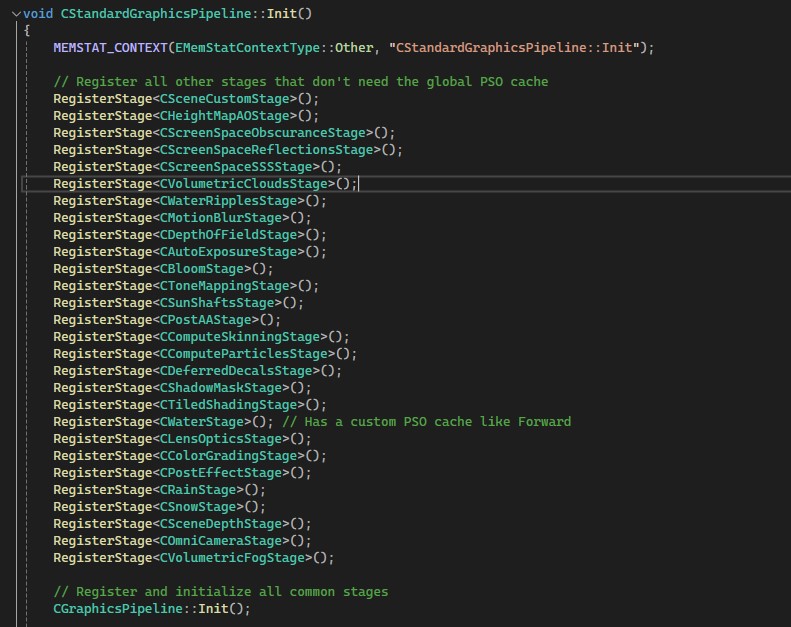
CRenderer holds all references to pipelines and when you call RenderWorld() in C3DEngine, internal call of CreateGeneralPassRenderingInfo will set everything up for you. It’s a little hard to follow, but it works.
So after all preparation, we want to submit our node, RenderWorld() has a few interesting places and it extensively, in an inlined manner submits everything you want to draw from every manager. Most of the calls go to OctreeNode, which uses CObjManager to create SRendParams and with all different objects and types (every object has a virtual Render() call from the IRenderNode interface) we finish with something like this:
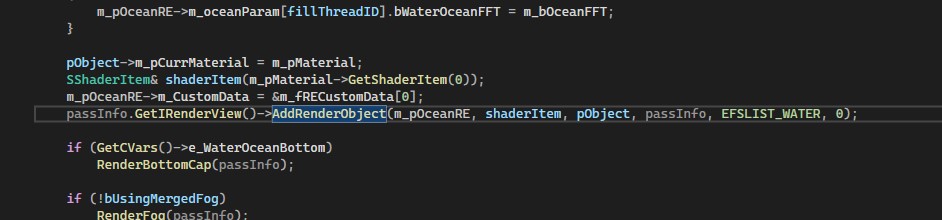
CryEngine calls AddRenderObject from RenderView. Personally, I feel like RenderView knows too much, but I’m pretty sure there is a reason for this. Inside the AddRenderObject, we have a few additional checks and finally AddRenderItem call. It creates an SRendItem descriptor and with the AddRenderItemToRenderLists call it pushes all data to m_renderItems with the render type we need - general, shadow_gen, decal, water, shadow_pass, sky, highlights, etc).
So that’s it, that’s some kind of production side of the call, let’s check how CryEngine uses m_renderItems.
So at some point, we call CStandardGraphicsPipeline::Execute() (sadly Visual Studio has issues with tracking the call, and since the name of the method - Execute, I was not able to find the call w/o running - I still have not run the project :) )
This class step by step will call the Execute method for every Stage you have: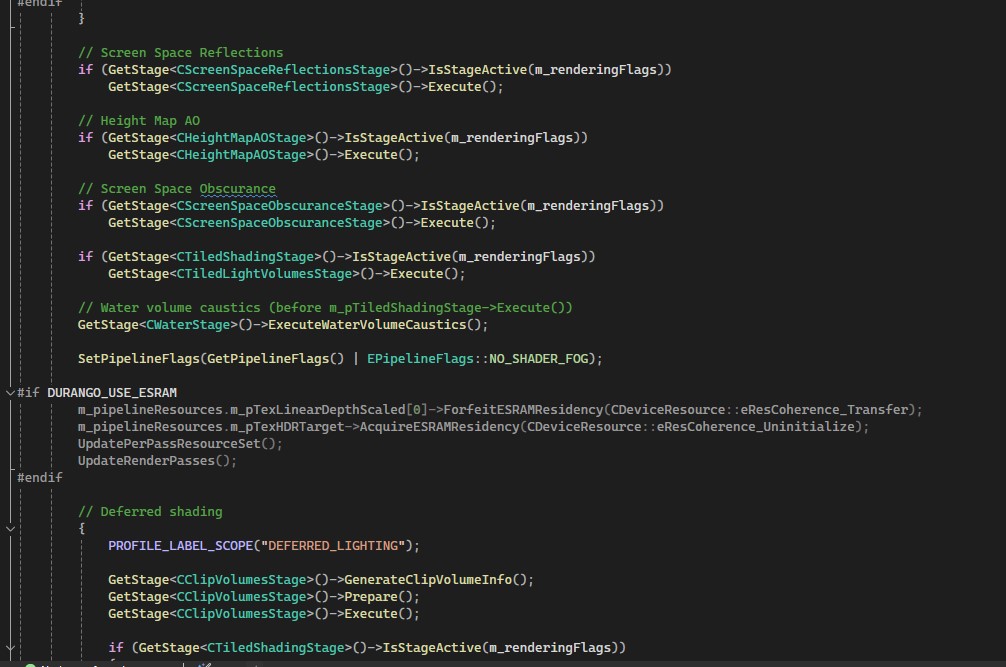
And one of the last Executes is the CRenderPassScheduler’s Execute, that’s our bridge to low-level code - JobifyDrawSubmission call:
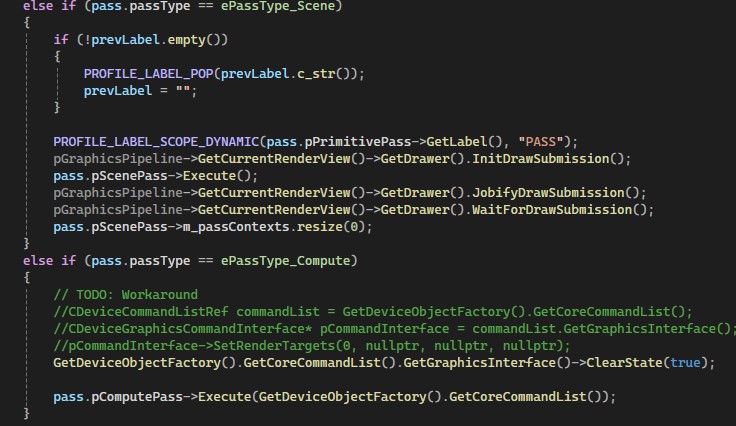
JobifyDrawSubmission prepared jobs we want to send on GPU, we schedule all but first, the first one we submit immediately from the current thread (probably that’s the render thread, not clear from code). And the method we want to submit is the ListDrawCommandRecorderJob.
Inside the method, we just iterate on the subpart of the rendItems collection we want to draw, and we call another global method DrawCompiledRenderItemsToCommandList
DrawCompiledRenderItemsToCommandList has arguments as SGraphicsPipelinePassContext, part of RenderItems, CDeviceCommandList, and that’s all you should tell. That’s amazing.
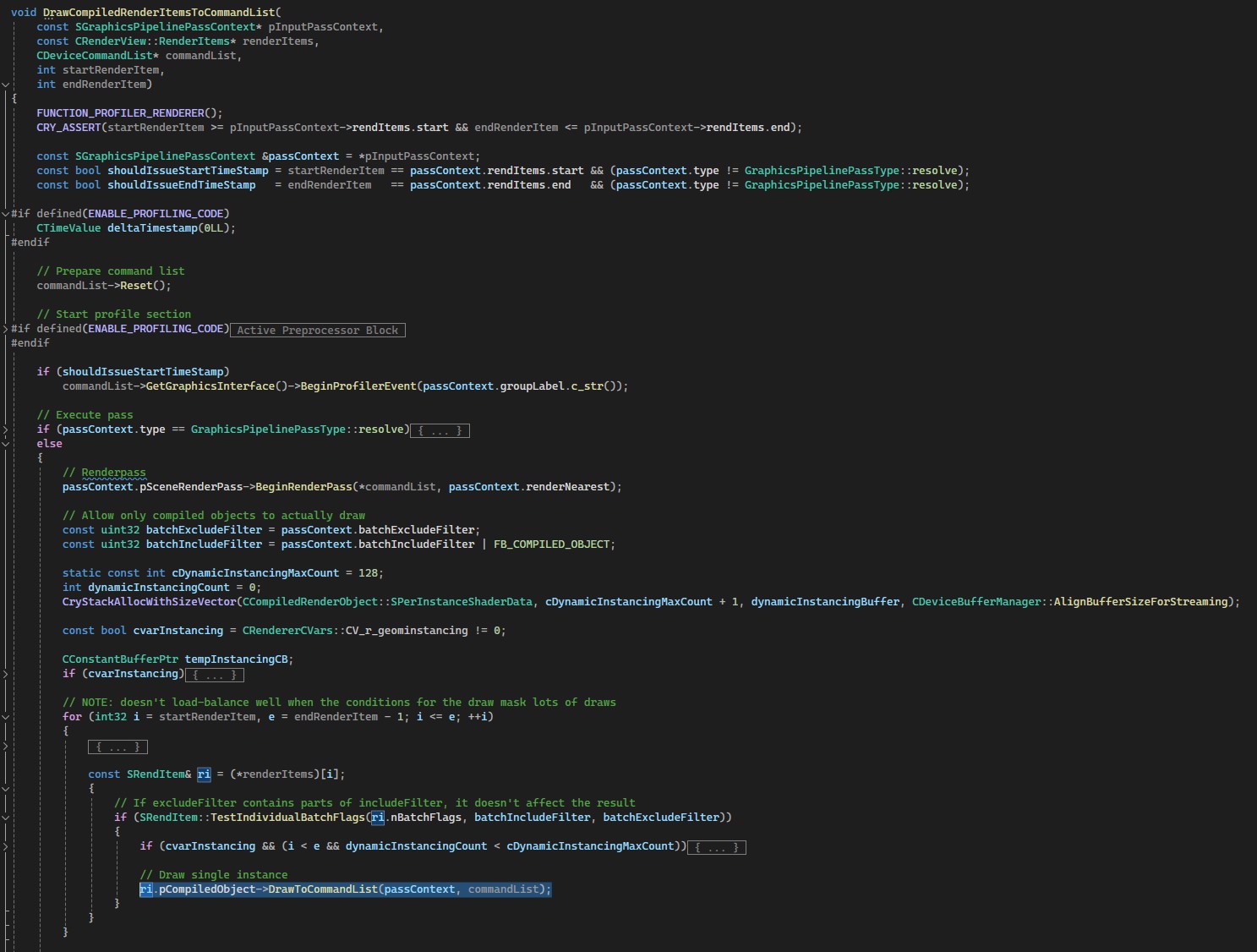
Next is the DrawToCommandList which actually gets reference to CDeviceGraphicsCommandInterface so we can write commands to actual CommandBuffer and produce work on GPU.
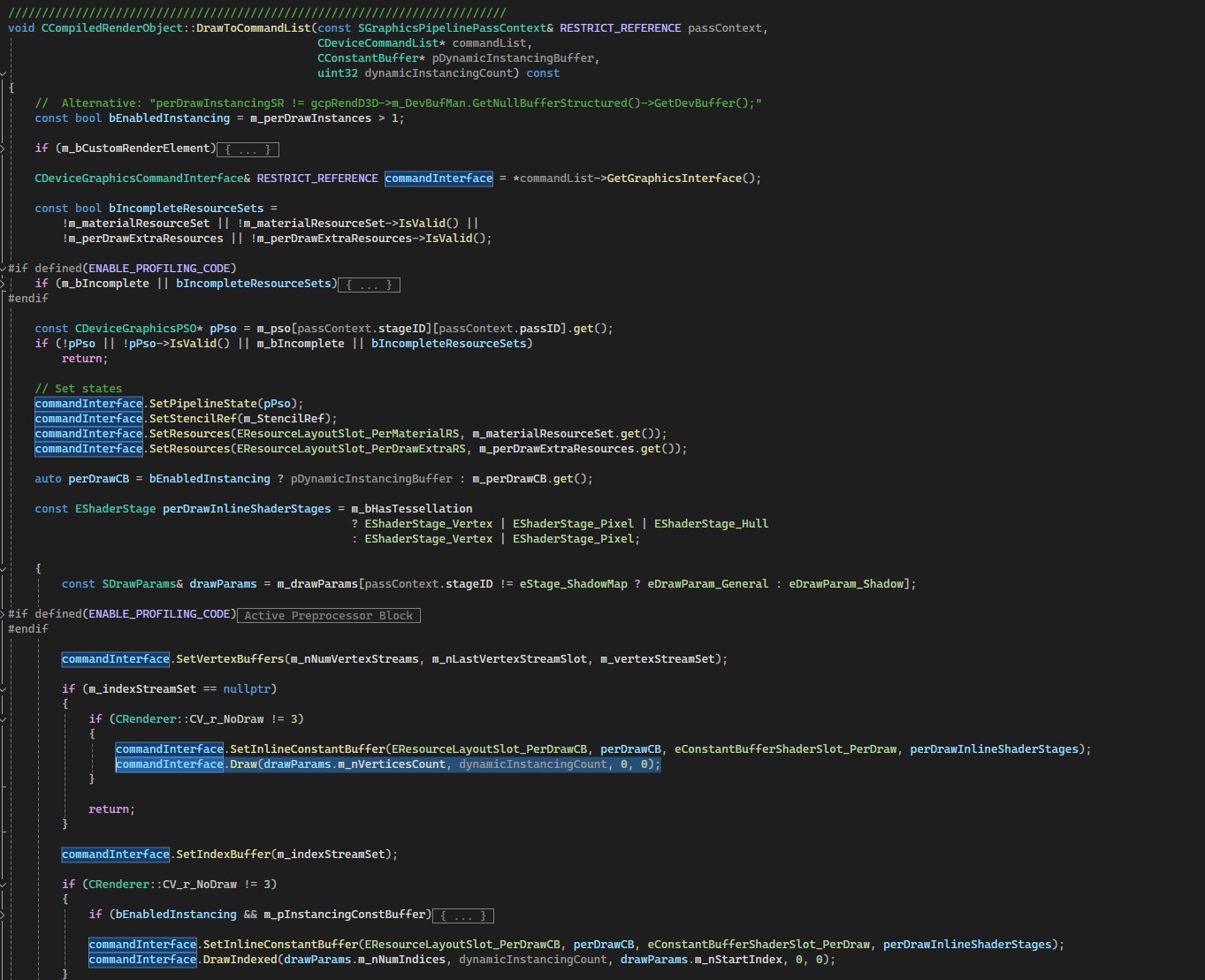
That’s probably how everyone would write this, besides how folks from CRYTEK implemented the renderer - I love it.
CDeviceGraphicsCommandInterface
So I cut one thing above I have not said where we get CommandList for the job call - CryEngine uses GetDeviceObjectFactory().AcquireCommandLists() in PrepareJobs() call. That’s SRenderListCollection class.
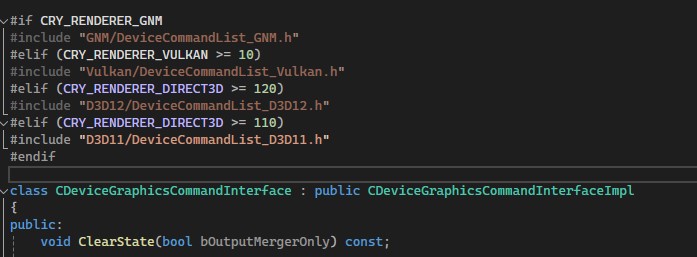
GetDeviceObjectFactory is our point of interest right now. While the header file is the same for factory (behavior), the cpp is different for everyone for API(d3d, vk).
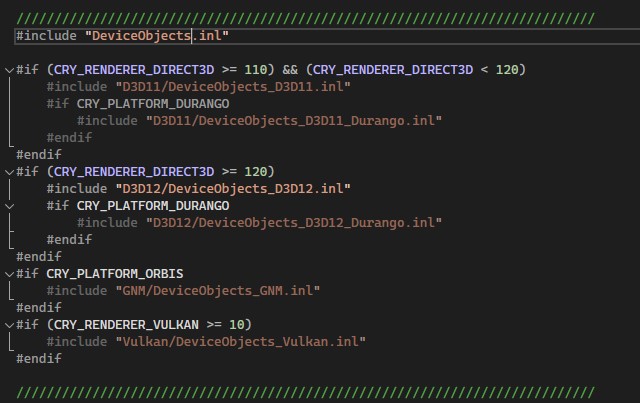
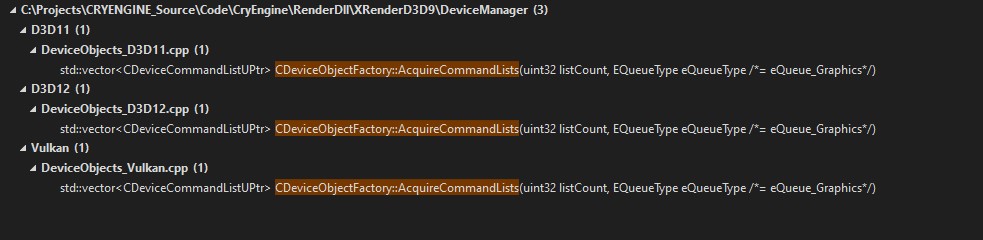
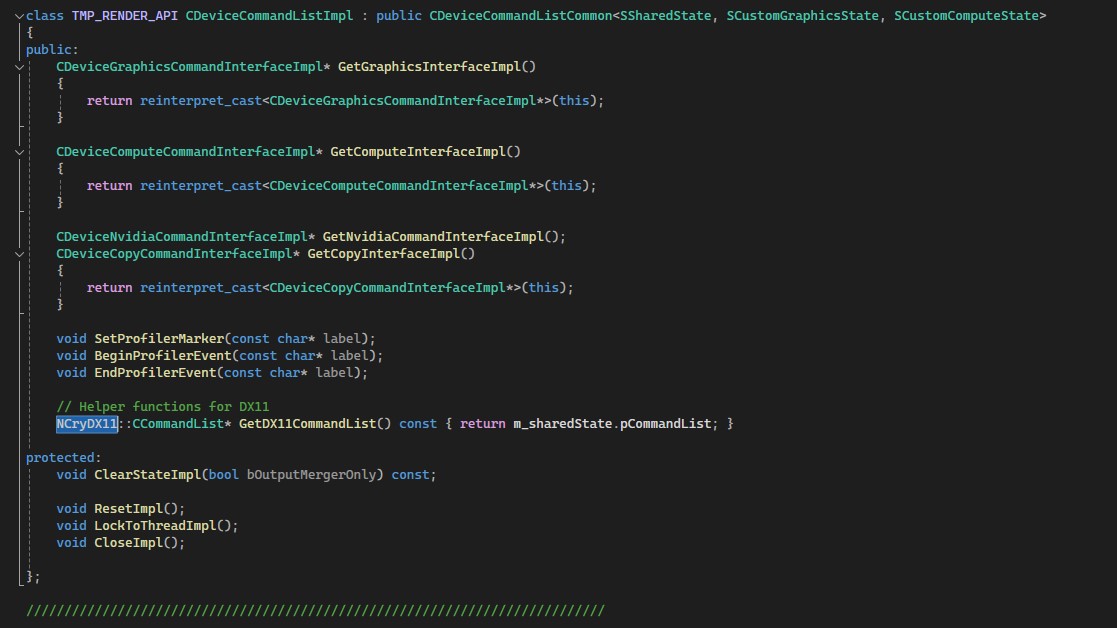
That’s a really interesting solution and they use it in different places either. more on this: We have CDeviceCommandList pointer, but we want to work with low-level code here, so we call GetGraphicsInterface(). CDeviceCommandList has 4 of them - GetGraphicsInterface, GetComputeInterface, GetNvidiaCommandInterface, GetCopyInterface. These calls just cast object type, that’s not really interesting, but the casted ones are very interesting.
CryEngiune has CDeviceGraphicsCommandInterface, CDeviceComputeCommandInterface, CDeviceNvidiaCommandInterface, CDeviceCopyCommandInterfaceImpl, All that they do is just redirect calls to base class - CDeviceCommandListImpl. And that’s a really interesting implementation of pImpl, every platform has its own file for CDeviceCommandListImpl and some other structs, for example, all renderers have SSharedState, and they inject it to CDeviceCommandListCommon (base class of the CDeviceCommandListImpl).
So we know implementation on compile time, really great usage of C++ capabilities.
That’s all for today, Next time I want to check how CryEngine works with the scene, how prepare data, and maybe some high-level overview of how they work with memory.
Thank you, I hope you found this useful.